
How to Fill Out a W-4 Form in 2026 (Step-by-Step)
You got a new job. Or maybe you finally decided to stop giving the government an interest-free loan through your oversized tax refund. Either way, you’re looking at the W-4 form and wondering what on earth you’re supposed to do with it.
You’re not alone. The IRS redesigned the W-4 back in 2020, and it confused a lot of people — including folks who had been filing taxes for decades. The old “allowances” system is gone. There’s no more claiming 0 or 1. And in 2026, there are new updates tied to the One Big Beautiful Bill Act (OBBBA) that you need to know about.
Here’s the good news: for most people, filling out a W-4 takes about five minutes. And this guide will walk you through every step — whether you’re a brand-new employee, recently married, have kids, or just owed money last April and want to fix it.
By the end, you’ll know exactly which steps apply to you, how to avoid the most common mistakes, and what happens if you get it wrong (spoiler: it’s fixable).
⚠️ Disclaimer: This article is for general informational purposes only and does not constitute tax advice. For guidance on your specific situation, consult a qualified tax professional or refer to the official IRS instructions for Form W-4.
What Is a W-4 Form and Why Does It Matter?
A W-4, officially called the Employee’s Withholding Certificate, is the form you give your employer when you start a new job. It tells your employer’s payroll department how much federal income tax to pull out of each paycheck before you ever see the money.
Why does that matter? Because the U.S. tax system is “pay as you go.” The IRS expects you to pay your taxes throughout the year, not all at once in April. Your employer handles that by withholding money from your wages based on what you tell them on this form.
Get it right and you’ll come close to breaking even at tax time — owing nothing and getting nothing back. Withhold too little and you’ll owe a tax bill in April, possibly with an underpayment penalty. Withhold too much and you’ll get a refund, which sounds nice until you realize you gave the government an interest-free loan for a year.
A few important things to understand upfront:
- The W-4 is given to your employer, not the IRS. Your employer keeps it on file.
- The allowances system (claiming 0 or 1) was eliminated when the IRS redesigned the form in 2020. That system is gone for good.
- You don’t have to submit a new W-4 every year — unless your situation changes, or unless you’re claiming exempt status (more on that later).
- If you don’t submit a W-4 at all, your employer is required to withhold taxes as if you’re single with no adjustments — which is typically the highest possible withholding rate.
What’s New on the 2026 W-4 Form?
If you filled out a W-4 last year and things look slightly different, here’s what changed:
2026-Specific Updates (OBBBA)
The One Big Beautiful Bill Act (OBBBA), signed into law in 2025, introduced several tax changes that affect the W-4. Here’s what’s reflected on the finalized 2026 form:
- Exempt status now has a dedicated checkbox. In prior years, employees claimed exempt status by writing the word “Exempt” on the Step 4(c) line. The 2026 form replaces this with a formal checkbox and certification right after Step 4. This is a meaningful change — don’t just write “Exempt” by hand on the new form.
- The Child Tax Credit used in Step 3 increased to $2,200 per qualifying child (up from $2,000), while the credit for other dependents stays at $500. The Step 3 sub-steps were also relabeled as lines 3(a) and 3(b) — the math works the same way, just with the new $2,200 figure.
- Step 4(b)’s Deductions Worksheet picked up three new OBBBA-related lines. You can now estimate three new deductions directly on the worksheet: qualified tips (up to $25,000), qualified overtime pay (up to $12,500 if single, $25,000 if married filing jointly), and interest on a loan for a new personal-use vehicle (up to $10,000). Each phases out above an income threshold — $150,000 single / $300,000 married filing jointly for tips and overtime, and $100,000 single / $200,000 married filing jointly for vehicle loan interest. (The W-4 worksheet itself labels this a “total income” cutoff; it’s a simplified stand-in for the deduction’s real statutory MAGI-based phase-out.) Important nuance: these are deductions you actually claim on your tax return (via Schedule 1-A), not an automatic payroll exemption — the worksheet just lets you reduce your paycheck withholding now in anticipation of the deduction you’ll take later. The worksheet expanded to its own full page as a result (it’s still Page 4 of the form).
- Your 2026 W-2 will separately report qualified tips and overtime pay this time around (employers now break these amounts out, including a dedicated code), so you won’t have to dig through pay stubs to find the numbers when you file.
- IRS Tax Withholding Estimator caveat: The IRS estimator tool (apps.irs.gov/app/tax-withholding-estimator) was still catching up to some OBBBA provisions in early 2026. It’s still useful for the basics, but check IRS.gov for the latest update status before relying on it for OBBBA-specific calculations like the tips or overtime deduction.
When your W-2 arrives, our guide on how to file taxes for the first time with your first W-2 walks you through the actual return, line by line.
Quick take for returning filers: If you filed a W-4 in 2025 and nothing major changed in your life, your old W-4 is still valid — you don’t need to file a new one unless you want to. Two exceptions worth a second look: if you claimed exempt status last year (you must re-file every year by February 15), or if you earn meaningful tip, overtime, or qualifying vehicle-loan income and want your withholding to reflect the new OBBBA deductions.
Which Steps Do YOU Need to Complete?
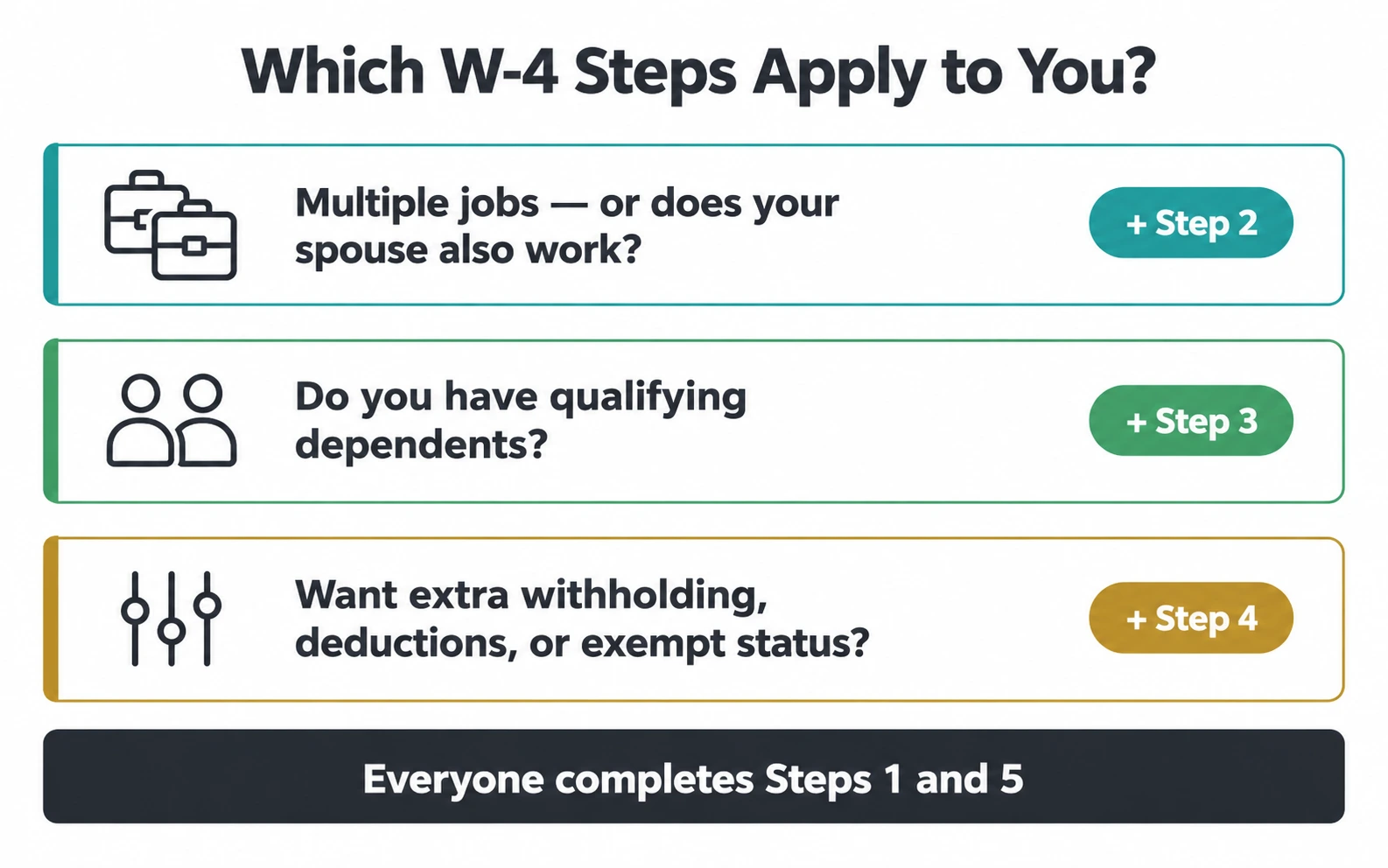
Here’s the short version: Steps 1 and 5 are required for everyone. Steps 2, 3, and 4 only apply if your situation calls for them.
Use this table to figure out exactly which steps you need:
| Your Situation | Steps to Complete |
|---|---|
| Single, one job, no dependents | Steps 1 and 5 only |
| Married, filing jointly, only one spouse works | Steps 1 and 5 only |
| Married, filing jointly, both spouses work | Steps 1, 2, and 5 |
| Two jobs (you hold both) | Steps 1, 2, and 5 |
| Single parent, one job, kids under 17 | Steps 1, 3, and 5 |
| Side gig income (no withholding on that income) | Steps 1, 4(a), and 5 |
| Expecting large deductions (mortgage interest, etc.) | Steps 1, 4(b), and 5 |
| Owed taxes last year, want extra withheld | Steps 1, 4(c), and 5 |
| Claiming exempt from withholding | Steps 1, 4 (check exempt box), and 5 — re-file by Feb 15 |
If you’re single with one job and no dependents, stop overthinking it. You only need to fill in your name, address, Social Security number, filing status, and your signature. That’s it.
Step-by-Step Instructions for All 5 Steps
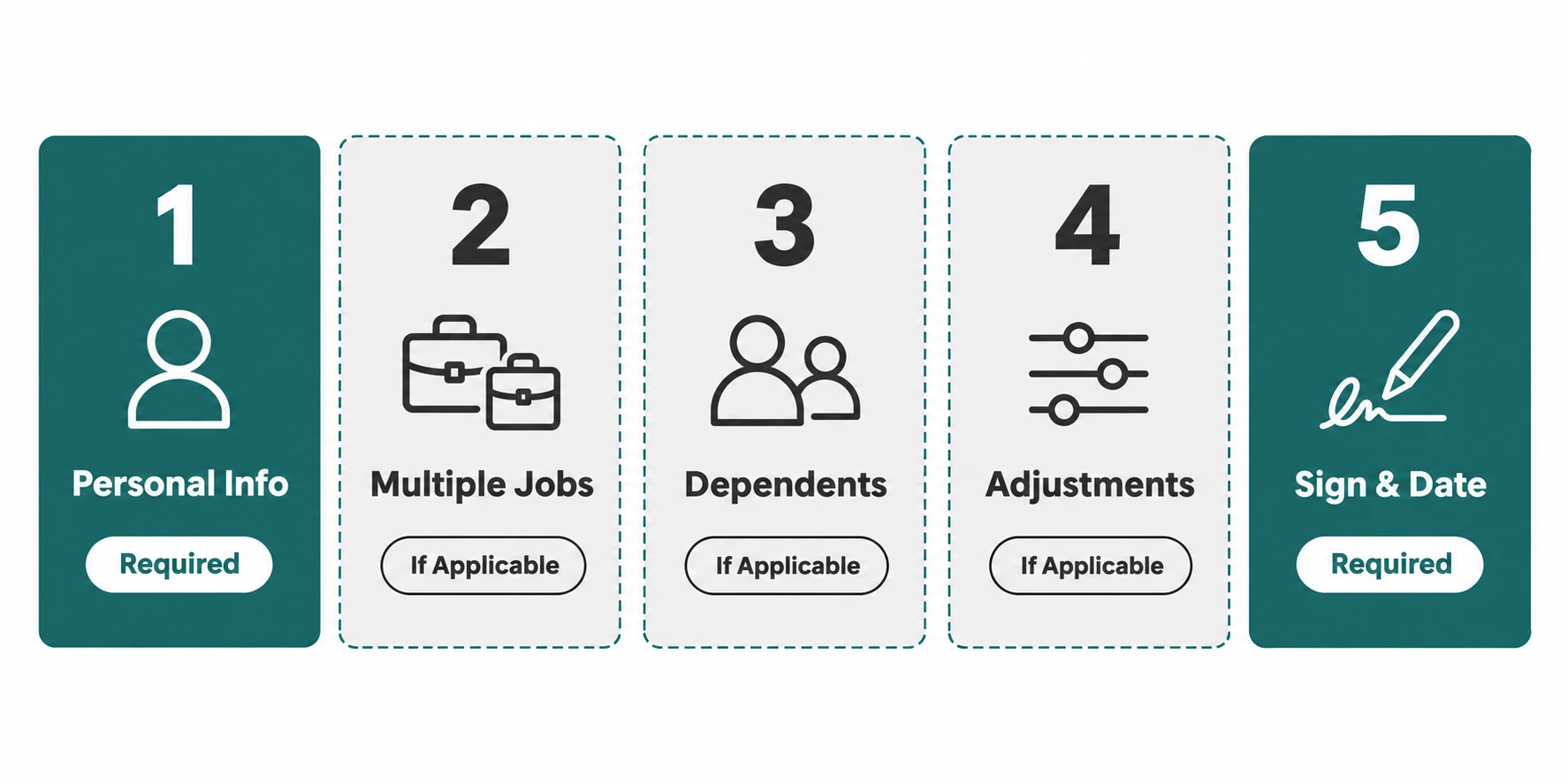
Step 1: Personal Information (Required — Everyone Fills This Out)
This step is straightforward. You’ll enter:
- Your full legal name
- Your home address
- Your Social Security number
- Your filing status (check one box)
Filing status options:
| Filing Status | Who Should Choose This |
|---|---|
| Single or Married Filing Separately | Unmarried individuals, or married but filing your own separate return |
| Married Filing Jointly | Married couples filing one combined tax return |
| Head of Household | Unmarried with a qualifying dependent (like a child) living with you |
A note on married filing separately: If you’re married but you and your spouse each file your own return, check “Single or Married Filing Separately.” For withholding purposes, IRS tax tables treat this the same as Single — which means higher withholding at the same income level. This surprises some people.
Head of Household check: You qualify as Head of Household if you’re unmarried, paid more than half the cost of keeping up a home, and a qualifying person (usually a child) lived with you for more than half the year. If you’re unsure, IRS Publication 501 or the filing status tool at IRS.gov can help you confirm.
Step 2: Multiple Jobs or Your Spouse Works (Complete If This Applies)
Skip this step entirely if you have exactly one job and your spouse doesn’t work (or you’re not married).
If you have two or more jobs, or if you’re married and both you and your spouse work, you need to complete Step 2. Here’s why: each employer withholds taxes as if their job is your only income. Two jobs at $40,000 each don’t get taxed the same way as one job paying $80,000 — so without Step 2, each employer will under-withhold.
You have three options in Step 2:
Option A — IRS Tax Withholding Estimator (Most Accurate)
Go to apps.irs.gov/app/tax-withholding-estimator. The tool considers all your income sources, deductions, and credits, and gives you exact amounts to enter. It doesn’t store your personal data on the W-4 itself — good for privacy. Note: As of early 2026, the estimator may not yet reflect all OBBBA changes. Check IRS.gov for update status.
Option B — Multiple Jobs Worksheet (Private and Accurate)
This is the cross-reference table on Page 3 of the W-4. You look up the combination of your higher-paying job and lower-paying job, find the amount in the table, and enter the result in Step 4(c). This keeps everything off the digital system if privacy is a concern.
Option C — Check the Box (Easiest, But Least Accurate)
If you and your spouse have roughly similar-paying jobs, just check the box in Step 2(c). This signals to each employer to use the higher tax table. It’s convenient, but it assumes your wages are close to equal — if they’re not, you may still under-withhold.
Important rule for multiple jobs: Only fill out Steps 3 and 4(b) on the W-4 for your highest-paying job. Leave those steps blank on W-4s for your other jobs. Entering dependent credits on multiple W-4s will cause significant under-withholding.
Step 3: Claim Dependents (Complete If You Have Qualifying Dependents)
Skip this step if your income is over $200,000 (single filer) or $400,000 (married filing jointly), or if you have no dependents.
Step 3 reduces your withholding by reflecting the tax credits you’ll claim for your children and other dependents. The amounts for 2026 are:
- Qualifying children under 17: $2,200 per child (raised from $2,000 by the One Big Beautiful Bill Act)
- Other qualifying dependents: $500 per person
Example: You’re a single parent with 2 children under 17 and one elderly parent you claim as a dependent.
- 2 children × $2,200 = $4,400
- 1 other dependent × $500 = $500
- Total entry in Step 3: $4,900
This doesn’t mean you get $4,900 back. It adjusts how much your employer holds back from each paycheck so that by year-end, you’ve withheld closer to your actual tax liability (after credits).
Dual-income households: Only claim dependents on ONE spouse’s W-4 — the one for the higher-paying job. Entering dependents on both W-4s will cause under-withholding.
Step 4: Other Adjustments (Optional, But Useful in Specific Situations)
Step 4 has three sub-sections:
4(a) — Other Income (Not From Jobs)
If you receive income that doesn’t have withholding attached to it — dividends, interest, rental income, retirement distributions, freelance income — you can enter the annual estimated amount here. Doing this tells your employer to withhold a little extra each paycheck to cover that additional tax liability. This is especially useful for gig workers who have a W-2 job alongside their 1099 income.
4(b) — Deductions
Most people take the standard deduction and skip this sub-step — for 2026, that’s $16,100 if you’re single or married filing separately, and $32,200 if you’re married filing jointly. But if you plan to itemize (e.g., you have significant mortgage interest, state taxes, or charitable donations that exceed the standard deduction), you can use the Deductions Worksheet on Page 4 of the W-4 to calculate an adjustment. Entering a deduction amount here reduces your withholding.
New for 2026, that same worksheet also lets you factor in three OBBBA deductions if they apply to you: qualified tips (up to $25,000), qualified overtime pay (up to $12,500 single / $25,000 married filing jointly), and interest on a loan for a new personal-use vehicle (up to $10,000) — each phased out above an income threshold ($150,000/$300,000 for tips and overtime; $100,000/$200,000 for vehicle loan interest). These are deductions you claim on your tax return, not a withholding exemption, but entering an estimate here keeps you from over-withholding in the meantime.
4(c) — Extra Withholding Per Paycheck
This is the simplest fix if you owed money last year or just want a cushion. Enter a flat dollar amount and your employer will withhold that additional amount from every paycheck. Even $25 or $50 per paycheck can make a real difference over the course of a year.
4 (Exempt Checkbox) — New for 2026
If you qualify for exempt status, check the dedicated exempt box in Step 4. Do NOT write the word “Exempt” by hand — that method has been replaced in the 2026 form. See the Exempt Status section below for full details.
Step 5: Sign and Date (Required — Everyone Must Do This)
Sign your name and enter the date. That’s it. A W-4 without a signature is not valid — your employer cannot legally accept it.
Submit the completed form to your employer’s payroll or HR department. Do not mail it to the IRS. Your employer keeps it on file.
Real-Life Scenarios: Worked Examples
Scenario 1: Alex — Single, One Job, No Kids
Alex is 25, just started their first job, and has no dependents.
- Step 1: Name, address, SSN, check “Single or Married Filing Separately”
- Step 2: Skip (only one job)
- Step 3: Skip (no dependents)
- Step 4: Skip (no adjustments needed)
- Step 5: Sign and date
Done. Took about two minutes.
Scenario 2: Maria and James — Married, Both Working
Maria earns $65,000 at her job; James earns $45,000. They have one child under 17 and file jointly.
Maria’s W-4 (higher-paying job):
- Step 1: Name, address, SSN, check “Married Filing Jointly”
- Step 2: Use IRS estimator (Option A) or worksheet (Option B) to account for dual income
- Step 3: $2,200 (one child) — enter only on Maria’s W-4, not James’s
- Step 4: Leave blank unless other adjustments apply
- Step 5: Sign and date
James’s W-4:
- Step 1: Name, address, SSN, check “Married Filing Jointly”
- Step 2: Complete same as Maria (same household)
- Step 3: Leave blank
- Step 4: Leave blank
- Step 5: Sign and date
Scenario 3: Sam — One Job Plus Freelance Work
Sam has a W-2 job paying $55,000 and earns about $8,000 per year from freelance projects. The freelance income has no withholding.
- Step 1: Personal info, check “Single”
- Step 2: Skip (only one W-2 job)
- Step 3: Skip
- Step 4(a): Enter $8,000 (estimated annual freelance income)
- Step 5: Sign and date
This tells Sam’s employer to withhold a bit more each paycheck to cover the tax on the freelance income — no separate estimated tax payments needed.
Scenario 4: Chris — Started a Job in November
Chris started a new job on November 10. The W-4 still matters for two months of paychecks. Chris should fill it out normally for their situation. When next year arrives, Chris should review whether any updates are needed based on the full-year income picture.
Exempt From Withholding: Complete Rules for 2026
Claiming exempt means you’re asking your employer to withhold zero federal income tax from your paychecks. This is a real option — but only if you qualify.
You qualify for exempt status if:
- You had zero federal income tax liability last year (you got a refund of all taxes withheld, OR you had no withholding and owed nothing), AND
- You expect zero federal income tax liability this year
This typically applies to students, very low-income workers, or individuals whose total income falls below the filing threshold.
2026 Change — Check the Box:
The 2026 W-4 now has a dedicated checkbox in Step 4 for claiming exempt status. Do not write the word “Exempt” in the Step 4(c) line. Use the checkbox.
Annual Re-Filing Requirement:
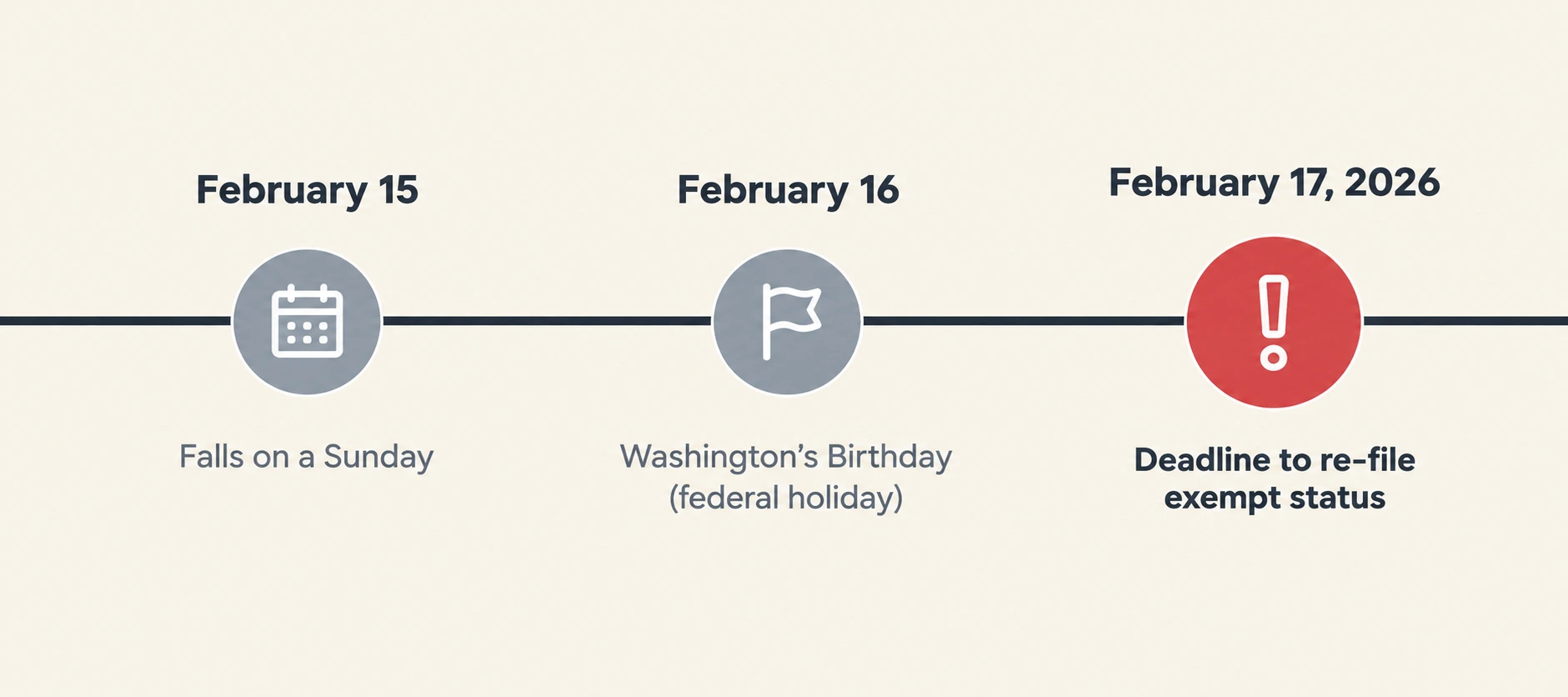
Exempt status does not carry over automatically. Every year, you must submit a new W-4 claiming exempt status by February 15. If you miss the deadline, your employer is required to begin withholding at the Single/no adjustments rate by the next business day after February 15 — February 17, 2026 specifically, since February 15 falls on a Sunday and February 16 is Washington’s Birthday (a federal holiday).
Paper Copy Rule:
Some payroll systems — including certain ADP configurations — require a paper W-4 when claiming exempt status, rather than an electronic submission. This is for compliance and audit purposes. Check with your HR or payroll department about their specific requirements.
Who Should NOT Claim Exempt:
If you had any federal tax liability last year, or if you expect to owe any this year, you do not qualify. Falsely claiming exempt status can result in penalties.
What If You Owed Money or Got a Huge Refund Last Year?
If You Owed Money in April
This means you under-withheld during the year. Here’s how to fix it:
- Submit a new W-4 and add a flat dollar amount in Step 4(c) as extra withholding per paycheck. Even $30 to $75 extra per paycheck adds up significantly over the year.
- Alternatively, reduce the amount you entered in Step 3 (dependent credits), which will increase your withholding.
- For the most accurate fix, use the IRS Tax Withholding Estimator.
If You Got a Very Large Refund
A large refund means you over-withheld — you let the government hold your money interest-free for a year. To bring your refund closer to zero:
- Increase your Step 3 entry if you have qualifying dependents and haven’t entered the full amount.
- Reduce or eliminate any extra withholding in Step 4(c).
- If you’re a dual-income couple, make sure you’re not over-withholding at the step 2 stage.
The goal is precision: withhold just enough to cover your actual tax liability, not more.
How to Update Your W-4 Mid-Year
You can submit a new W-4 to your employer at any time. There’s no limit on how often you can update it.
Here’s how:
- Download the current 2026 W-4 from irs.gov/pub/irs-pdf/fw4.pdf, or ask your HR department for a copy.
- Fill it out based on your current situation.
- Submit it to your payroll or HR department (not to the IRS).
- The updated withholding typically takes effect within one to two pay periods.
- Check your next paycheck stub to verify the new withholding amount.
When to update mid-year:
- You got married or divorced
- You had a child or gained a dependent
- You started a second job or your spouse did
- You received a significant raise or took a pay cut
- You owed money last April and want to prevent it happening again
One more thing: If you’re updating your W-4 specifically because you under-withheld earlier in the year, don’t delay. The sooner you increase withholding, the more you can catch up before year-end. Wages withheld are always treated as if they were withheld evenly throughout the year — which has real implications for avoiding underpayment penalties (see the next section).
Safe Harbor Rules and Underpayment Penalties
Under-withholding is fixable. But if you under-withheld significantly, the IRS may charge an underpayment penalty — even if you pay what you owe when you file your return in April.
The penalty is based on quarterly shortfalls, not just the annual total. This is why “I’ll pay it all in April” doesn’t fully solve the problem.
You avoid the underpayment penalty if you meet either of these safe harbor thresholds:
- Pay at least 90% of your current year’s total tax liability through withholding and/or estimated payments, OR
- Pay at least 100% of your prior year’s tax liability (if your prior-year Adjusted Gross Income was over $150,000, this threshold rises to 110%)
The withholding advantage: Wages withheld from your paycheck are treated by the IRS as if they were paid evenly throughout the year — regardless of when the withholding actually happened. This is different from estimated tax payments, which must meet quarterly targets. A mid-year W-4 increase can cure an under-withholding problem in a way that estimated tax payments made after the fact cannot.
For full details on safe harbor calculations, see IRS Publication 505 (Tax Withholding and Estimated Tax).
Don’t Forget: Your State W-4
The federal W-4 only covers federal income tax withholding. Most states with an income tax require a separate state withholding form.
Each state has its own form and its own rules. When you start a new job, your employer should give you the state form along with the federal W-4 — but if they don’t, ask.
You can find your state’s withholding form at your state’s Department of Revenue website. Search “[Your State] Department of Revenue withholding form” or ask your HR department.
States without income tax (like Texas, Florida, and Nevada) don’t require a state withholding form. But if you live in a state with income tax and don’t submit the state form, you’ll face the same problem as with the federal form: your employer will default to the highest withholding rate.
W-4 vs. W-2: What’s the Difference?
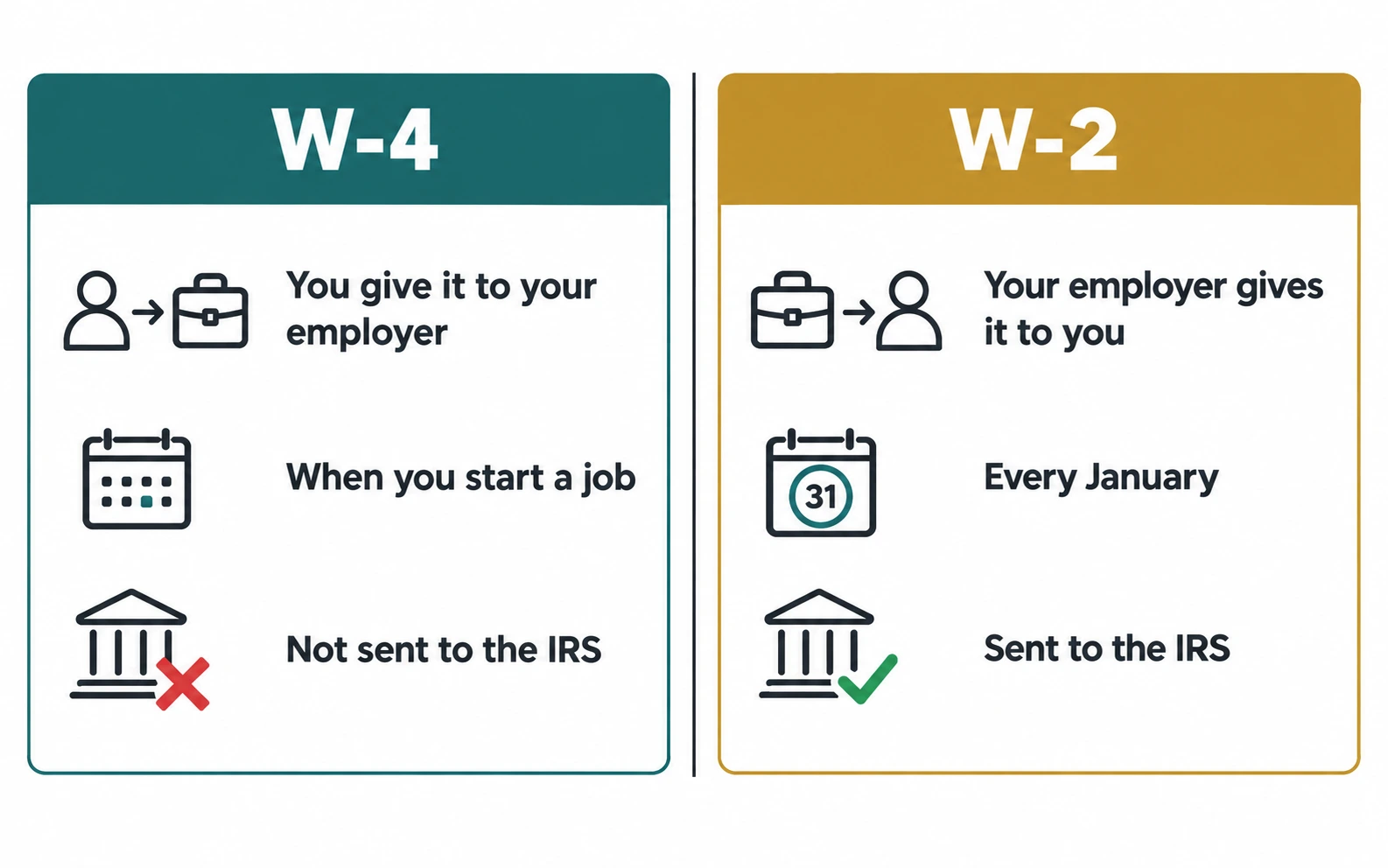
These two forms are easy to mix up. Here’s the short version:
| W-4 | W-2 | |
|---|---|---|
| What it is | Employee’s Withholding Certificate | Wage and Tax Statement |
| Direction | You give it to your employer | Your employer gives it to you |
| When | When you start a job (or when your situation changes) | Each January, for the prior tax year |
| Purpose | Tells employer how much tax to withhold | Reports your earnings and taxes withheld |
| Who sees it | Your employer (kept on file 4+ years) | You, your employer, and the IRS |
| Submitted to IRS? | No | Yes |
Think of it this way: the W-4 is your instruction to your employer at the start of the year. The W-2 is the report card at the end of it.
The IRS Tax Withholding Estimator: How to Use It
The IRS Tax Withholding Estimator (apps.irs.gov/app/tax-withholding-estimator) is the most accurate way to figure out exactly what to enter on your W-4. It’s free, it doesn’t store your data, and it produces exact dollar amounts for each W-4 line.
What you’ll need before you start:
- Your most recent pay stub from each job (yours and your spouse’s, if applicable)
- Your prior-year tax return (for income estimates and deductions)
- Estimates of any other income: dividends, interest, freelance, rental income, etc.
- Any tax credits you plan to claim
What the tool gives you:
It tells you precisely what to enter in Steps 3 and 4 of your W-4 to achieve your desired outcome — whether that’s breaking even, maximizing your paycheck, or building in a small cushion.
2026 Caveat: As of early 2026, the estimator has not yet been fully updated for all OBBBA provisions. It’s still useful for most situations, but check IRS.gov for the latest update status before relying on it for OBBBA-specific calculations.
Special Situations: Non-Resident Aliens and F-1 OPT Visa Holders
If you’re on an F-1 student visa, a work visa, or another non-immigrant status, the standard W-4 rules may not apply to you. Non-resident aliens (NRAs) have different withholding requirements under U.S. tax law.
Key points:
- Non-resident aliens generally cannot claim the same deductions and credits as U.S. residents.
- You may be eligible for tax treaty exemptions — Form 8233 is used to claim exemption from withholding under a tax treaty.
- Do not check the “Head of Household” or “Married Filing Jointly” boxes if you are a non-resident alien filing as single.
- Follow the special NRA withholding instructions that accompany the W-4, or work with a tax professional familiar with international tax rules.
For authoritative guidance, refer to IRS Publication 515 (Withholding of Tax on Nonresident Aliens and Foreign Entities) and IRS Publication 519 (U.S. Tax Guide for Aliens).
What Your Employer Does With Your W-4
Once you hand in your W-4, here’s what happens:
- Your employer’s payroll system uses the information you provided to look up the correct withholding amount in IRS tax tables (Publication 15-T).
- That amount is deducted from each paycheck and sent to the IRS on your behalf.
- Your W-4 is kept on file at your employer for a minimum of four years. It is not sent to the IRS — unless the IRS specifically requests it (which is rare).
- If your employer receives no W-4 from you, they’re required to withhold as if you’re single with no adjustments — the highest-withholding default.
Digital W-4 note: Many employers now use payroll software like ADP, Workday, Gusto, or Paychex to collect your W-4 electronically. The platform may look slightly different from the paper form, but it follows the same five-step logic. If something seems confusing in the digital version, the same rules from this guide apply.
Frequently Asked Questions
Do I have to fill out a W-4 every year?
No. Your W-4 stays on file with your employer indefinitely. You only need to submit a new one if your personal situation changes — marriage, divorce, new child, second job, major income change — or if you want to adjust your withholding. The one exception: if you claim exempt status, you must re-file a new W-4 every year by February 15.
What happens if I don’t submit a W-4?
Your employer withholds taxes as if you’re single with no adjustments. This is typically the highest possible withholding rate for your income level. You’ll likely get a larger refund at tax time, but you’ll have less money in each paycheck throughout the year.
Can I claim exempt from withholding if I’m a student?
Possibly, yes. If you earned income last year but owed zero federal income tax (because your income was below the filing threshold or fully offset by credits), and you expect the same this year, you may qualify. Use the IRS’s interactive tool at IRS.gov to confirm before claiming.
I have two jobs — should I fill out two W-4 forms?
Yes, you’ll fill out a separate W-4 for each employer. But only complete Steps 3 and 4(b) on the W-4 for your highest-paying job. Using the IRS estimator (Step 2, Option A) is the most reliable approach for multiple-job situations.
What’s the difference between withholding and estimated taxes?
Both are ways to pay taxes during the year. Withholding is deducted automatically from your wages. Estimated taxes are quarterly payments you send to the IRS yourself (common for freelancers and self-employed people). The key difference: wage withholding is always treated as if it was paid evenly throughout the year for IRS purposes. Estimated tax payments must meet quarterly deadlines — missing Q1 and doubling up in Q2 doesn’t eliminate the Q1 penalty.
Is my W-4 sent to the IRS?
No. Your employer keeps your W-4 on file for at least four years. It is not submitted to the IRS unless the IRS specifically requests it during a review or audit.
What if my filing status changed mid-year (I got married in July)?
You can submit an updated W-4 at any time. In this case, update your filing status to “Married Filing Jointly” and complete Step 2 if your spouse also works. The updated withholding will take effect within one to two pay periods.
Is the W-4 available in languages other than English?
Yes. The IRS provides the W-4 in Spanish, Chinese, Vietnamese, Korean, and Russian. Ask your HR department or check IRS.gov if you’d like a version in another language.
Conclusion
The W-4 form has a reputation for being confusing, but most of the time it’s simpler than it looks. For a lot of people, it comes down to three things: your name and filing status, whether anyone else in your household is working, and whether you have kids or dependents. That’s it.
The biggest mistakes happen when people skip Step 2 on a dual-income return, claim dependent credits on both spouses’ W-4s, or forget to re-file their exempt status every February. Now you know how to avoid all of those.
For 2026 specifically, keep two things in mind: the exempt status now requires a checkbox (not a written note), and the IRS estimator may not yet reflect all OBBBA changes — so check IRS.gov before relying on it for OBBBA-specific guidance.
If your situation is at all complicated — multiple jobs, significant investment income, non-resident status, or you’ve owed money for a few years running — take 15 minutes with the IRS Tax Withholding Estimator. It’s free, it’s accurate, and it gives you exact numbers to plug in. There’s no reason to guess.
Ready to get started? Download the 2026 Form W-4 directly from the IRS at irs.gov/pub/irs-pdf/fw4.pdf. If you run into edge cases or have a complex tax situation, consider speaking with a CPA or tax professional before you finalize your entries.
Have a question about your W-4 or your withholding? Leave a comment below — we read every one.
This guide is one piece of our complete First Job Money Guide — covering everything from reading your first pay stub to picking employee benefits.
Once your new W-4 takes effect, How to Read a Pay Stub walks through exactly where those changes show up on your actual paycheck.